Email us at remote@harrainc.com OR message us on Facebook: @harravirtualcareers
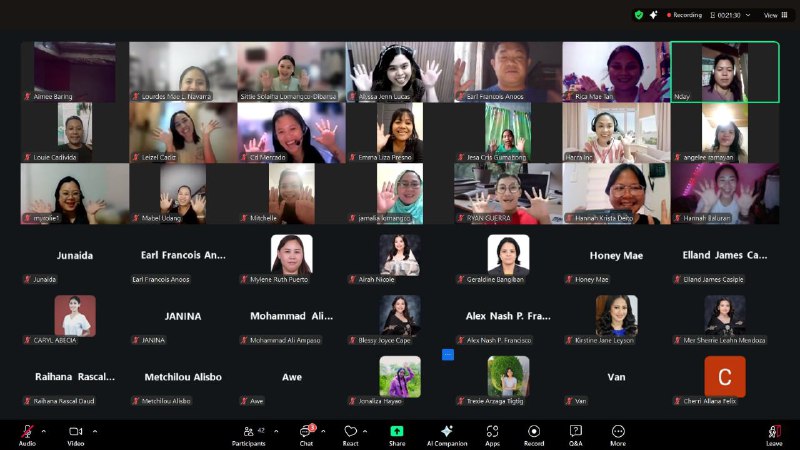
Join us for our upcoming one-month Adobe Photoshop training live on Zoom from the comfort of your own home!
📅 We are currently working on the training schedule
🎯 Pro-Level Entry
💰 ₱5,499 per participant (Original Price: ₱11,000 Limited-Time Offer)
Your Creative Superpower
Mastering Adobe Photoshop for a Competitive VA Edge
Build precision design skills that set you apart from template-based VAs and help you command premium client rates.
* Very limited seating only 50 spots for each batch we do... *

COURSE OVERVIEW
Move beyond basic edits and unlock the power of professional-grade design.
This intensive Photoshop training equips Filipino Virtual Assistants with high-value, precision editing skills demanded by global clients. You’ll learn advanced background removal, retouching, compositing, and custom graphic creation—allowing you to offer premium design services instead of relying on templates.
The course balances strong foundations with hands-on, real-world VA tasks, empowering you to confidently handle client design requests and build a portfolio-worthy body of work.
✨ KEY HIGHLIGHTS
- Master essential Photoshop tools and workflows
- Perform precise background removal (including hair & fine details)
- Retouch and enhance photos professionally
- Create composites, mock-ups, and marketing graphics
- Build premium, custom visuals beyond templates
- Add a high-income skill to your VA services
📚 COURSE OUTLINE
(1-MONTH PROGRAM)
Here’s exactly what you’ll learn each day.
WEEK 1
Photoshop Interface & Core VA Editing Skills
Foundations • Image Correction • Precision Editing
📅 - (Monday) – Day 1 > Photoshop Fundamentals
- Workspace & tool overview
- Layers, raster vs vector, file formats
- Workspace customization for efficiency
📅 - (Tuesday) – Day 2 > Image Correction Essentials
- Cropping, resizing, resolution for web & print
- Brightness, contrast, color balance
📅 - (Wednesday) – Day 3 > Professional Retouching
- Healing Brush, Clone Stamp
- Spot removal & clean-up techniques
📅 - (Thursday) – Day 4 > Selection & Masking
- Marquee, Lasso & Object Selection
- Layer masks for non-destructive editing
📅 - (Friday) – Day 5 > Advanced Background Removal
- Hair & fine detail extraction
- Clean edges for professional outputs
WEEK 2
Practical VA Projects & Marketing Assets
Design Execution • Creative Control
📅 - (Monday) – Day 6 > Social Media Graphics (Part 1)
- Text, effects, layout fundamentals
📅 - (Tuesday) – Day 7 > Social Media Graphics (Part 2)
- Visual hierarchy & balance
- Photo manipulation & mock-ups (Part 1)
📅 - (Wednesday) – Day 8 > Photo Manipulation (Part 2)
- Composites & creative image blending
📅 - (Thursday) – Day 9 > Marketing Visuals
- Facebook ads & YouTube thumbnails from scratch
📅 - (Friday) – Day 10 > Project 1
- Edit, retouch, and create a marketing-ready image set
WEEK 3
Advanced Photoshop Techniques for Client Work
High-End Editing • Real Client Requests
📅 - (Monday) – Day 11 > Advanced Masking & Refinement
- Advanced selection workflows for complex images
- Refining edges (hair, fur, fine details)
- Mask cleanup for professional results
📅 - (Tuesday) – Day 12 > Professional Retouching Techniques
- Dodge & burn for natural skin retouching
- Frequency separation basics
- Enhancing photos without over-editing
📅 - (Wednesday) – Day 13 > Color Grading & Mood Creation
- Color grading for branding and ads
- Creating consistent visual mood
- Using adjustment layers for non-destructive edits
- Smart Objects for efficiency and flexibility
- Working with reusable assets
- Editing without damaging original files
📅 - (Friday) – Day 15 > Product Mock-ups & Optimization
- Creating product mock-ups for branding & e-commerce
- Optimizing images for web, ads & social media
- Exporting files for different platforms
WEEK 4
Portfolio Building, Client Workflow & VA Positioning
Professional Output • Monetization
📅 - (Monday) – Day 16 > Building Your Photoshop Portfolio
- Selecting portfolio-worthy projects
- Organizing work by service type
- Presenting skills clearly for clients
📅 - (Tuesday) – Day 17 > Before-and-After Showcases
- Creating impactful before-and-after visuals
- Explaining your process visually
- Using comparisons to increase perceived value
📅 - (Wednesday) – Day 18 > Client Workflow & File Handoff
- File organization best practices
- Deliverables & export standards
- Preparing files for client handoff
📅 - (Thursday) – Day 19 > Client Communication & Revisions
- Understanding client briefs
- Managing feedback and revision requests
- Maintaining professionalism with clients
📅 - (Friday) – Day 20 > Pricing & Packaging Your Photoshop Services
- Pricing Photoshop services as a VA
- Packaging Photoshop as a premium add-on
- Positioning yourself as a specialist, not a generalist
📅 - (Saturday) – FINAL CAPSTONE PROJECT
Create a complete Photoshop portfolio set, including:
-
Retouched images
-
Background removal samples
-
Marketing graphics
- Composite/mock-up designs
💼 Client-ready. Portfolio-ready. Premium-skill certified.
Capstone Project Completion
-
Final portfolio review
-
Refinement of selected works
-
Preparing assets for client pitching
Certificate of Completion Awarding Digital Ceremony
Grab Your Spot Now!
By the end of the program, participants will have:
- Advanced Photoshop editing skills
- A professional Photoshop portfolio
- Clear client workflows
- Premium service packages ready to offer
👩💻 WHO THIS COURSE IS FOR
- Filipino VAs wanting premium design skills
- Canva users ready to level up
- Freelancers handling graphic or photo editing tasks
- VAs who want to charge higher rates
- Anyone serious about professional design work
🎓 WHAT YOU’LL WALK AWAY WITH
- Pro-level Photoshop editing skills
- Portfolio-ready design projects
- Confidence handling real client requests
- Certificate of Completion
- A competitive edge in the VA market
⏰ Limited Slots Available
To ensure hands-on guidance and feedback, only a limited number of participants are accepted.
💰 ₱5,499 instead of ₱11,000
Once slots are filled, registration closes and pricing returns to normal.